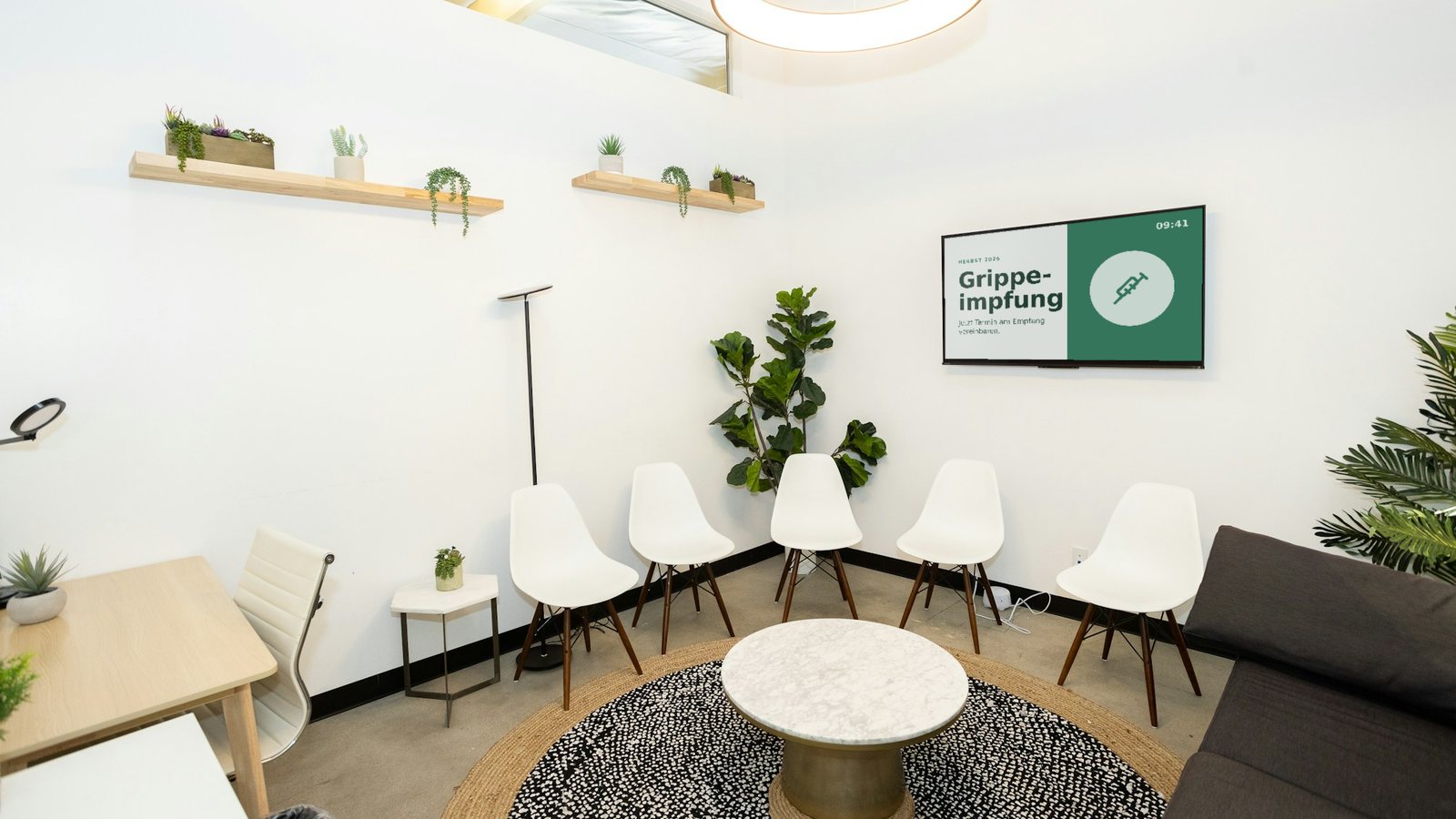
Photo on Unsplash
Waiting Room TV for Medical Practices: A Guide
Your waiting room has something almost no other channel offers: people who have a few minutes to spare and are open to information. A well-made waiting room TV uses that time – it answers questions before they reach the front desk and makes the wait feel shorter. A badly made one is irritating or feels like non-stop advertising.
This guide covers which content belongs in a waiting room, what to watch out for regarding data protection and professional rules, what hardware you actually need and what it all costs. At the end you'll find a checklist to work through.
What a waiting room TV can do
Take load off the front desk: opening hours, holiday cover, prescription requests, online booking – questions that otherwise land at the desk dozens of times a day.
Inform factually: explain check-ups, vaccinations or self-pay services without using up consultation time.
Make waiting more pleasant: calm, well-designed content is a welcome distraction and makes the minutes pass faster.
Build trust: patients who know the team, the focus areas and the processes of the practice walk into the consultation more relaxed.
What content belongs in the waiting room
Good waiting room content is useful, calm and up to date. These eight building blocks work well:
Practice basics: opening hours, holiday closures, cover arrangements and out-of-hours emergency numbers.
Service information: how patients request prescriptions and referrals, book appointments online or use the practice app. The guest Wi-Fi belongs here too.
Seasonal health topics: flu vaccination in autumn, ticks in spring, sun protection in summer – automatically at the right time of year.
Check-ups and screening: which examinations exist and who they are for – with a prompt to ask the team.
Self-pay services: explained factually: what the service is, who it may be useful for and what it costs.
Team and practice: photos, specialties, languages spoken. It makes the practice approachable.
Practical notes: please tell the front desk about symptoms of infection, phones on silent, where the restrooms are.
Breathers for the eyes: nature footage or a calm image loop between information slides – not every slide has to say something.
Data protection and legal points
A waiting room TV is quick to set up – but there are a few rules worth knowing. This section is based on the situation in Germany and is not legal advice; if in doubt, ask your medical association.
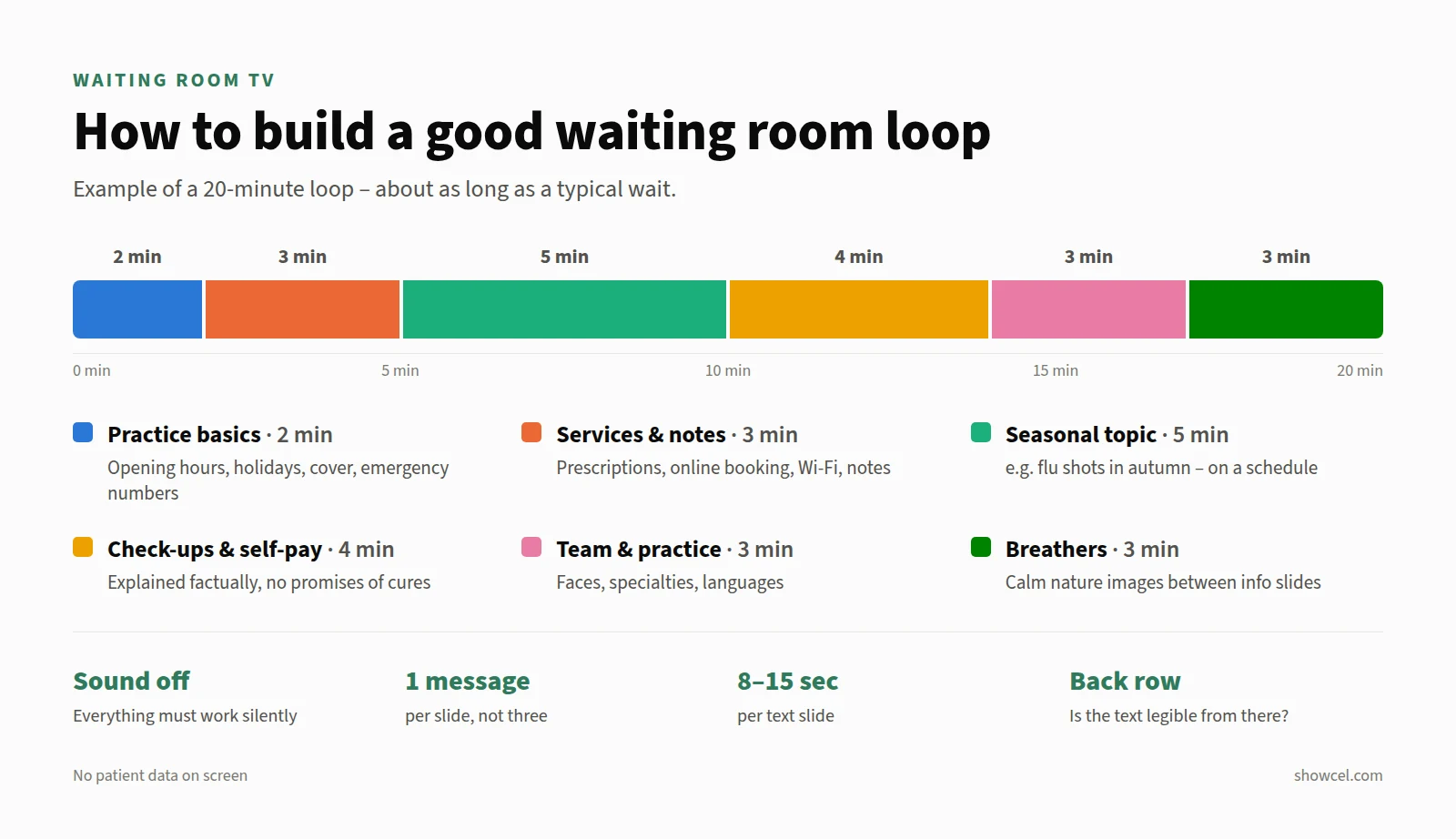
No patient data on screen
Names, appointments or treatments have no place on a screen everyone can see. If you want to call patients via the screen, use anonymous identifiers such as ticket numbers instead of names. And a waiting room TV doesn't need cameras or audience measurement.
Check your provider
Even if the screen only shows general information, the software still processes data – your team's logins, for example. Ask your provider where the data is stored and, where required, sign a data processing agreement under Art. 28 GDPR.
Inform, don't advertise
Professional rules for doctors allow factual information about your services, but not promotional advertising. In Germany, the Heilmittelwerbegesetz also governs claims about treatments and remedies. Rule of thumb: explain, yes – promise cures, no.
Careful with live TV, streaming and music
Playing live TV or music in a waiting room raises licensing questions – depending on the case, fees may apply, for example to collecting societies such as GEMA. Private streaming subscriptions are usually licensed for personal use only. Your own silent content avoids the issue entirely.
Design: calm, legible, silent
Sound off. Any sound is a disturbance in a waiting room. Content must work without audio – use subtitles for videos.
Large and high-contrast. Sit on the chair furthest from the screen: anything you can't read effortlessly from there is too small. This also helps older and visually impaired patients.
One message per slide. Ten short slides beat three overloaded ones. Text slides need roughly 8 to 15 seconds.
Match the loop to the wait. Someone waiting 20 minutes shouldn't see the same slide three times. A loop about as long as a typical wait works well.
Calm transitions. Soft fades instead of hectic animations.
Practice colours, not template colours. Your logo and colours make the screen feel like part of the interior.
Hardware: what you actually need
Screen: for a typical waiting room, a standard 43 to 55 inch TV is enough. Choose a spot without window glare that is visible from as many seats as possible.
Player: a small device with a browser is all it takes, such as a Fire TV Stick or an Android TV device. Our Fire TV Stick guide shows the setup.
Internet: regular practice Wi-Fi is fine. A good player caches content and keeps playing through short connection drops.
Power: set up the TV and player to restart on their own after a power cut – so nobody has to reach for the remote in the morning.
What does a waiting room TV cost?
For one screen, you can roughly budget for:
TV (43–55 inch): around €300 to €600
Player (e.g. Fire TV Stick): around €40 to €80
Wall mount and installation: from around €50, depending on the wall
Software: with Showcel, from €6 per screen per month after a 30-day trial
There are also all-in-one practice TV packages with a ready-made editorial programme. They take content upkeep off your hands, but usually cost considerably more per month and leave less room for your practice's own topics. Current Showcel plans are on the pricing page.
Checklist: your waiting room TV in one afternoon
Waiting room TV with Showcel
With Showcel you design your waiting room content right in the browser – with templates and your own branding. Schedules make seasonal topics appear automatically, and changes show up on screen immediately, without anyone walking over to the TV. Database and media files are stored on servers in Germany.
Learn more about how practices use Showcel on our healthcare page.